Native macOS app · macOS 26.4 or later · English only · Not released yet
Why MQuit
The red × that actually quits.
❌
Close Means Quit
When you close an app's last window, MQuit quits the app for you — no more apps idling in the Dock with nothing open.
📋
Your Rules
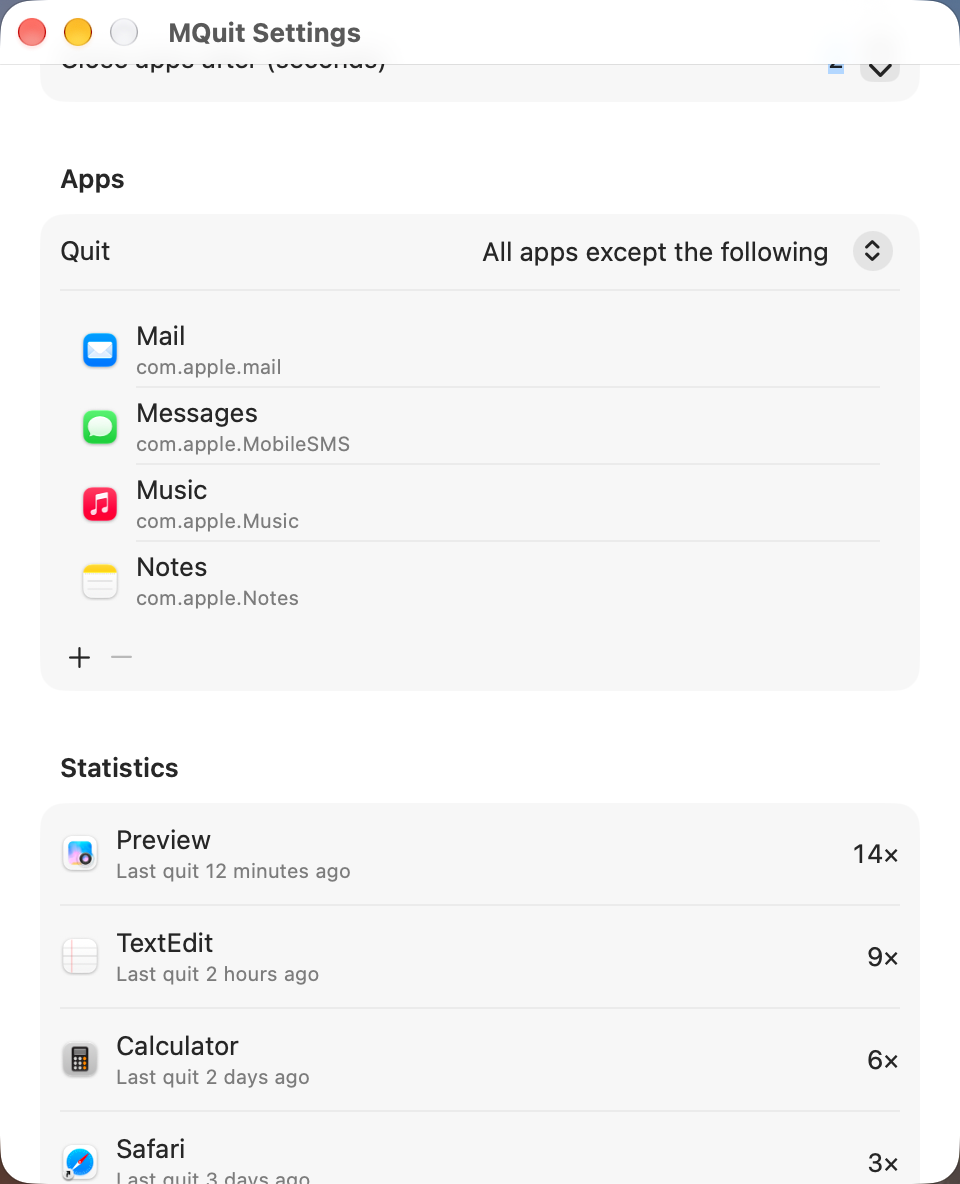
Apply it to all apps except the ones you list, or only to the apps you list.
⏱
Grace Period
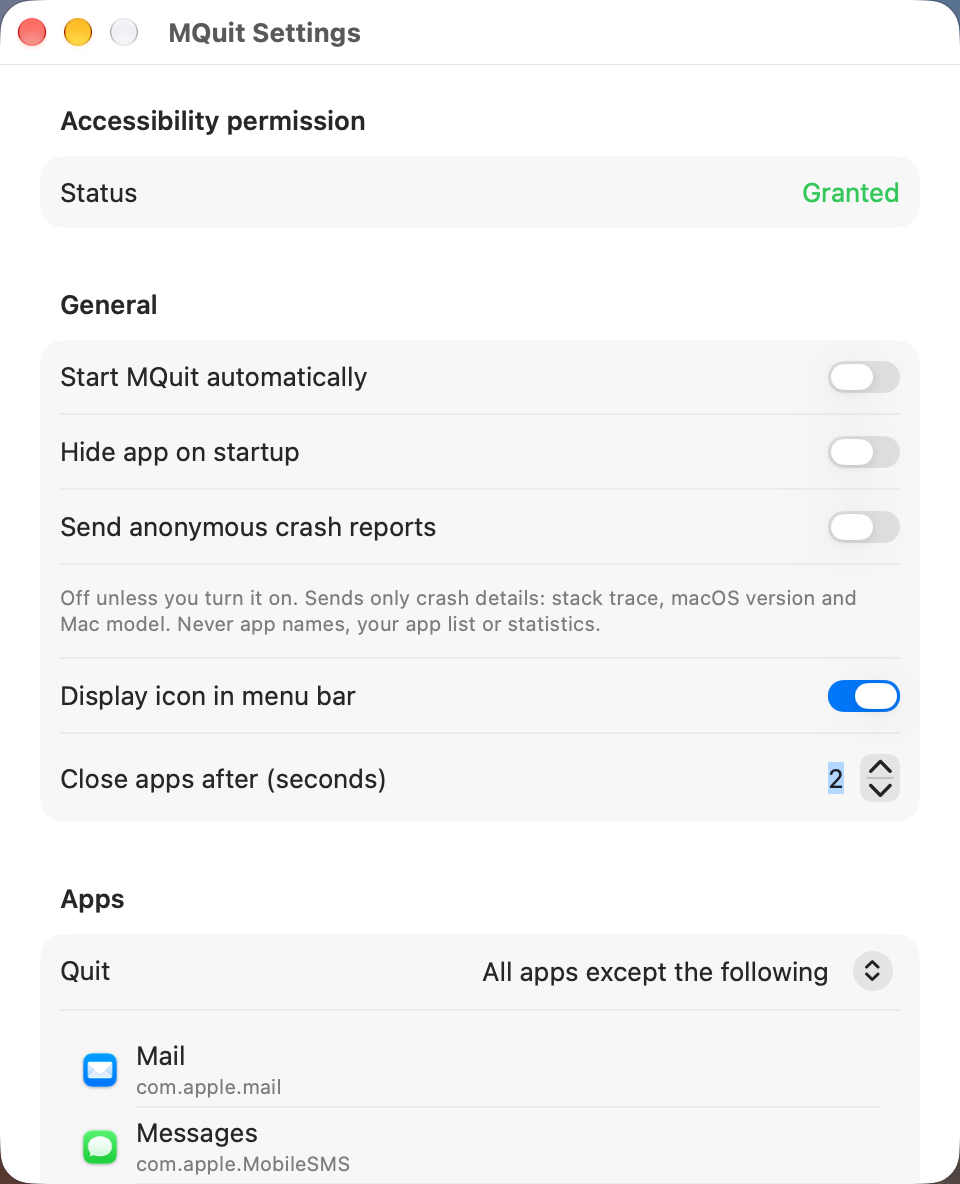
MQuit waits 1–60 seconds (2 by default) before quitting. Open a new window in the meantime and nothing happens.
How It Works
Set it up once, then forget it.
MQuit lives in the menu bar and has a single Settings window. Everything below is in that window.
🔀Two Modes. “All apps except the following” or “Only the following apps”.
➕App List. Add apps from a Running apps menu or with Choose Application…; each entry is stored by its bundle identifier and shown with icon and name. Remove with the − button.
⏳Close Delay. “Close apps after (seconds)”, from 1 to 60. A new window within the delay cancels the quit.
🤝Quits Politely. MQuit asks the app to quit the normal way and never force-quits, so an app with unsaved changes can still ask you to save.
🛡Never Quits the Essentials. Finder, Spotlight, Notification Center, menu-bar-only apps and MQuit itself are always left alone.
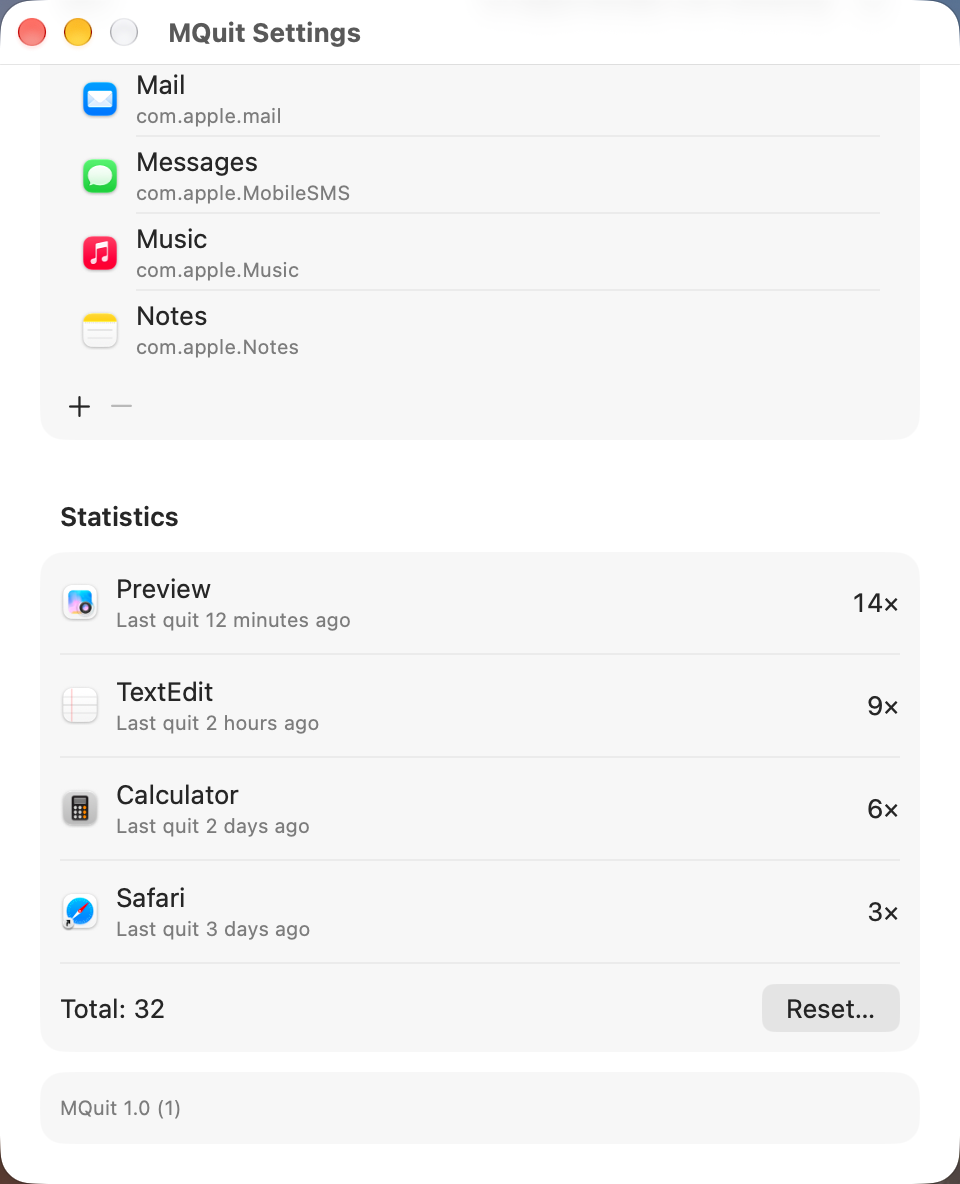
📊Statistics. See how often MQuit quit which app, with a total and a Reset button. Stored only on your Mac.
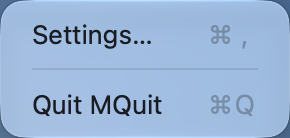
🖥Menu Bar & Startup. Optional menu-bar icon (Settings… ⌘,, Quit ⌘Q), “Hide app on startup” and “Start MQuit automatically”. If you hide the icon, launch MQuit again to open Settings.
🪟Works With Stubborn Apps. For apps that don't report window changes to Accessibility, MQuit falls back to watching the window server.
Known limitation: macOS reports only the windows of the current Space. If an app's remaining windows are on another Space or in a full-screen Space, closing its last window on the current Space quits the app. Add such apps to the list (“All apps except the following”) to keep them running.
Availability
Coming soon.
MQuit is not released yet — there is no download and no Homebrew cask so far. This page will link a download as soon as a build is available.
💻System. Requires macOS 26.4 or later.
🔑Permission. Accessibility only (System Settings → Privacy & Security → Accessibility). MQuit asks on first launch; Settings shows the status and a button that opens the right pane.
🌐Language. English only.
MQuit re-implements the open-source Swift Quit for current macOS.
Under the Hood
Small, quiet, and yours.
🐛
Crash Reports Are Opt-In
“Send anonymous crash reports” is off unless you turn it on. When on, only crash details (stack trace, macOS version, Mac model) go to Sentry — never app names, your app list or statistics.
🔑
One Permission
Accessibility, so MQuit can notice when an app's last window closes. Nothing else.
⚙
Made with SwiftUI
Native SwiftUI and AppKit. Lives in the menu bar — no Dock icon.
No warranty — use at your own risk
MQuit will be provided as is, without warranty of any kind, express or implied, including but not limited to warranties of merchantability, fitness for a particular purpose, or non-infringement.
In no event shall the authors or amzu solutions GmbH be liable for any claim, damages, data loss or other liability arising from the use of this software. Quitting an app ends it the same way choosing Quit does; you are responsible for evaluating whether MQuit is suitable for your workflow before running it.